Geometry Dash Lite
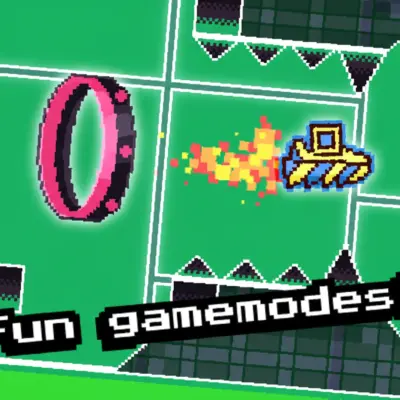
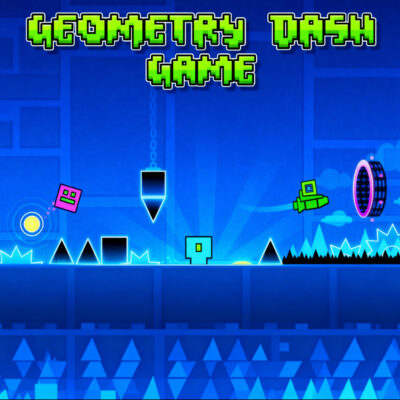
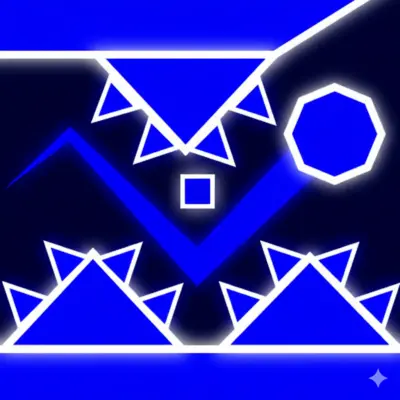
Play Geometry Dash Lite online for free and enjoy a simple, colorful and rhythm-based jumping game. You move forward automatically and tap to jump over spikes, platforms and moving traps. The music helps you time each jump and stay focused. The game is easy to start but takes practice to finish a full level.
Geometry Dash Lite includes several classic levels with strong beats and bright designs. It is perfect for players who want fast attempts and quick restarts. You can retry instantly and learn patterns step by step. Explore more titles in
Geometry Dash Games.
What is Geometry Dash Lite?
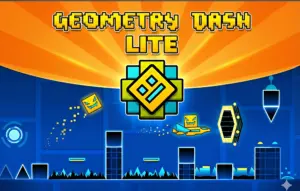
Geometry Dash Lite is a free entry version of the classic rhythm game developed by RobTop Games. It includes multiple official levels, each with unique music, patterns and timing challenges. You tap to jump over traps and follow the rhythm to stay in sync with the beat. The game teaches timing, patience and focus.
The visuals are bright and simple. Each level has its own theme and design style. Moving blocks, spikes and platforms appear quickly. You must react at the right moment. Levels become harder as you progress.
This Lite version is great for beginners. It allows players to try the main gameplay without needing the full game. Short attempts and fast restarts help you learn patterns quickly.
You can play Geometry Dash Lite directly in your browser. There is no installation, no account and no extra steps. Just press play and start jumping.
Gameplay overview of Geometry Dash Lite
Geometry Dash Lite uses a simple loop: jump, avoid and react. Your character moves forward automatically, so all focus goes to timing. The level layout changes fast. Spikes, platforms and moving blocks appear with no delay. The music helps you anticipate the next move.
Each level has a unique theme and rhythm. Some parts are slow and calm. Others become fast and tight. You learn the patterns by repeating short sections. Quick retries help you memorize safe spots.
The gravity portals change how you move. Some portals flip the screen. Others make you smaller or place you in a vehicle. These changes keep each run fresh and interesting.
The game feels smooth on both desktop and mobile. The browser version loads instantly. There is no installation. You can start playing in seconds. Levels run well on tablets too.
Geometry Dash Lite is short but challenging. You progress with practice. Every attempt counts. The gameplay rewards patience and rhythm awareness.
How to play Geometry Dash Lite?
Tap, click or press the jump key to move over traps. Hold your input to perform a longer jump. Release to drop. These basic actions make the game easy to start. The difficulty comes from reacting at the exact moment.
Start with slower levels. Watch how platforms move. Many patterns repeat. When you recognize a pattern, use the music beat as your guide. Some jumps match drum hits. Others sync with melody drops.
If you fail, you restart immediately. This is normal. Most players need many tries to reach the end. Focus on improving one section at a time.
Avoid hitting jump too early. Early inputs cause most mistakes. Keep your eyes slightly ahead of your cube, not directly on it. Look at the next obstacle.
Stay calm during new sections. Some traps appear after a silent moment in the song. Sudden shifts make the game exciting but also tricky.
Play with sound on. Music helps your timing. Muting the game makes the jumps harder.
Quick start
Begin with Level 1. It teaches basic jumps slowly. Continue to Level 2 once you feel confident. Higher levels require faster reactions.
Play in fullscreen for better visibility. Close background apps that may slow your browser. Use a stable internet connection for smooth audio.
Objectives and win conditions
Your goal is to reach 100% progress on each level. A progress bar at the top shows your position. Passing each obstacle pushes the bar forward.
You can also collect coins. Coins are optional. They are placed in risky spots for experienced players. They do not affect your progress but offer extra challenge.
Completing all available levels counts as a full clear. Many players replay levels to achieve a clean run without mistakes. Some try to get all coins in one attempt.
Controls
The controls are simple and responsive. Each device offers the same basic idea: jump at the right time.
Keyboard and mouse
Press the spacebar, click the left mouse button or press the up arrow to jump. Holding the input creates a longer jump. Many players prefer using the mouse for stability, especially in fast sections.
Use the keyboard if you want consistent timing. It offers a predictable feel. Desktop controls work well for long practice sessions.
Touch controls (mobile)
Tap the screen to jump. Hold your finger to extend your jump. Mobile controls are direct and simple. The game responds quickly to each tap.
Play in landscape mode for better visibility. Keep your screen clean to avoid missed taps. Sound helps with timing on mobile too.
Gamepad (controller)
Use the A button or R1 to jump. Controllers feel comfortable for long play sessions. The button response is quick and reliable.
Gamepads make the game easier for players who are used to console-style controls. Sensitivity stays stable across all levels.
Tips and tricks for Geometry Dash Lite
Consistency matters more than speed. Practice in small sections and learn the beat of each part. Staying relaxed helps with accuracy.
Tips for beginners
- Start with Level 1 to build timing slowly.
- Keep sound on to follow the rhythm.
- Watch ahead of your cube, not directly on it.
- Tap lightly to avoid early jumps.
- Use fullscreen to see traps clearly.
Advanced strategies
- Memorize dangerous parts through repetition. Most hard spots repeat.
- Use long holds only when the platform spacing requires it.
- Study moving blocks to predict safe windows.
- Practice coin routes for extra difficulty.
- Adjust audio volume to hear beat changes clearly.
Features of Geometry Dash Lite
Geometry Dash Lite keeps the gameplay simple and clear. Each level uses strong beats and clean patterns that help with timing.
Main features
- Multiple rhythm-based levels with smooth layouts.
- Fast retries for quick learning.
- Bright visuals with clean shapes and patterns.
- Simple controls on desktop and mobile devices.
- Optional coins for extra challenge.
What makes it special
The short levels allow you to practice in small steps. Each mistake teaches you something new. The songs match the jumps, making timing easier.
Replay value stays high. You can finish a level in a few minutes, but mastering it takes longer. The browser version is safe and loads quickly.
Players return because the structure is clear and the challenge is fair. You control everything with one action, so the focus stays on timing.
Game details
- Requirements: Only a browser and a stable connection. No installation.
- Developer: Created by RobTop Games.
- Technology: Built with HTML5.
- Release date: Released in 2014.
- Platform: Browser (PC, mobile, tablet).
- Category: Geometry Dash Games
Performance and troubleshooting
If the game slows, refresh the page. Closing heavy tabs helps the browser run smoother. Use fullscreen for a clearer view of traps and jumps.
On mobile devices, keep the battery above medium levels for steady performance. Low-power mode may affect timing or frame rate.
If you notice audio delay, disable browser extensions and try again. Some extensions interfere with music playback. Switching to a different browser may help.
Stable internet improves loading speed. Once loaded, gameplay stays consistent in most cases.
Updates
Most updates include small improvements and minor fixes. Level designs stay the same.
Is Geometry Dash Lite free?
Yes. You can play it in your browser at no cost. No sign-up and no download are needed. All available levels are included.
Short ads may appear to support hosting. They do not affect gameplay.
Is it safe?
Yes. Geometry Dash Lite is safe to play in your browser. It runs on HTTPS and requires no installation, which protects your device.
The game does not ask for personal information and uses basic analytics only. It works without needing accounts or permissions.
Avoid unofficial copies or downloads from unknown sites. Use trusted platforms to stay safe.
Where can I play Geometry Dash Lite unblocked?
You can play it directly on our secure site. If blocked at school or work, try a different browser or network. The game loads quickly on most devices.
Why is Geometry Dash Lite so fun?
The timing is easy to understand but challenging to master. Each attempt gives quick feedback. You improve with every run.
The short sessions make it perfect for breaks. You can play for one minute or fifteen. The music keeps energy high.
New players enjoy the simple controls. Skilled players enjoy pushing for clean runs. The balance suits all ages.
Similar games to Geometry Dash Lite
Geometry Dash: Classic rhythm platforming.
Geometry Dash Meltdown: Three themed levels with bright visuals.
Geometry Dash SubZero: Frozen designs with sharp beats.
Geometry Dash Wave: Fast diagonal patterns and tight passages.
View all games in
Geometry Dash Games.
Download Geometry Dash Lite
• On Android:
Open the official page on
Google Play Store.
Install the app and start jumping.
• On iOS:
Visit the
App Store
and press “Get” to install.
Download the mod APK file of Geometry Dash Lite
You may find APK versions on some external sites. Use them only if you cannot access the official stores. Some APK files may include ads or unsafe code, so download with caution. Always scan files before installing.
The browser version on geometrydashgame.com is the safest way to play instantly.
FAQ
Is Geometry Dash Lite free?
Yes. You can play it online without paying.
Does Geometry Dash Lite save progress?
Browser versions reset progress, while app versions save your runs.
How many levels are in Geometry Dash Lite?
The Lite version includes several official levels with unique music.
Can I play Geometry Dash Lite offline?
You need the mobile app to play offline.
Do I need to install anything?
No installation is needed for the online version.
Is Geometry Dash Lite safe?
Yes. The game runs on a secure HTTPS connection.
Does the music matter?
Yes. The rhythm helps you time jumps more accurately.
Can I play on any device?
It works on phones, tablets and computers.
Why do I restart when I hit an obstacle?
Restarting is part of the challenge and helps you learn patterns.
Does Geometry Dash Lite require an account?
No account is needed for the online version.
Are ads included?
Small ads may appear to support hosting.
Can kids play Geometry Dash Lite?
Yes. The gameplay is simple and family-friendly.
Can I use headphones?
Yes. It improves rhythm timing.
How do portals work?
Portals change gravity, size or your movement style.
Is Geometry Dash Lite updated often?
Updates are usually small and focus on performance.
Why is Geometry Dash Lite difficult?
Timing and fast reactions are needed to complete levels.
Can I practice specific sections?
You must replay from the start in the Lite version.
Do levels get faster?
Yes. Higher levels have quicker patterns.
Is Geometry Dash Lite similar to the full game?
Yes. It shares the same core gameplay.
Where can I find similar games?
Browse more titles in
Geometry Dash Games.
Conclusion
Geometry Dash Lite offers clean gameplay and simple controls. Each attempt helps you improve your timing. It is perfect for players who enjoy rhythm games and fast restarts. Play it online or download the app for longer sessions. Visit our full collection to explore more Geometry Dash titles.
Geometry Dash Lite
Play Geometry Dash Lite online for free. Jump, fly, and dash through fast-paced rhythm levels in this lite version of the classic game. No download needed.
Price Currency: usd
Operating System: Windows, Chrome OS, Linux, MacOS, Android, iOs
Application Category: Game
4.1
Gameplay Video